Free pilotNFC + QR table ordering · India
NFC QR digital menu for restaurants — tap, order, serve.
Each table gets an NFC card with a QR backup. Guests open a live menu on their phone — no app — add dishes to cart, and send the order. Your dashboard shows the table number, items, and status.
- No guest app
- Unique table link
- Live kitchen board
- 1–2 restaurants, free
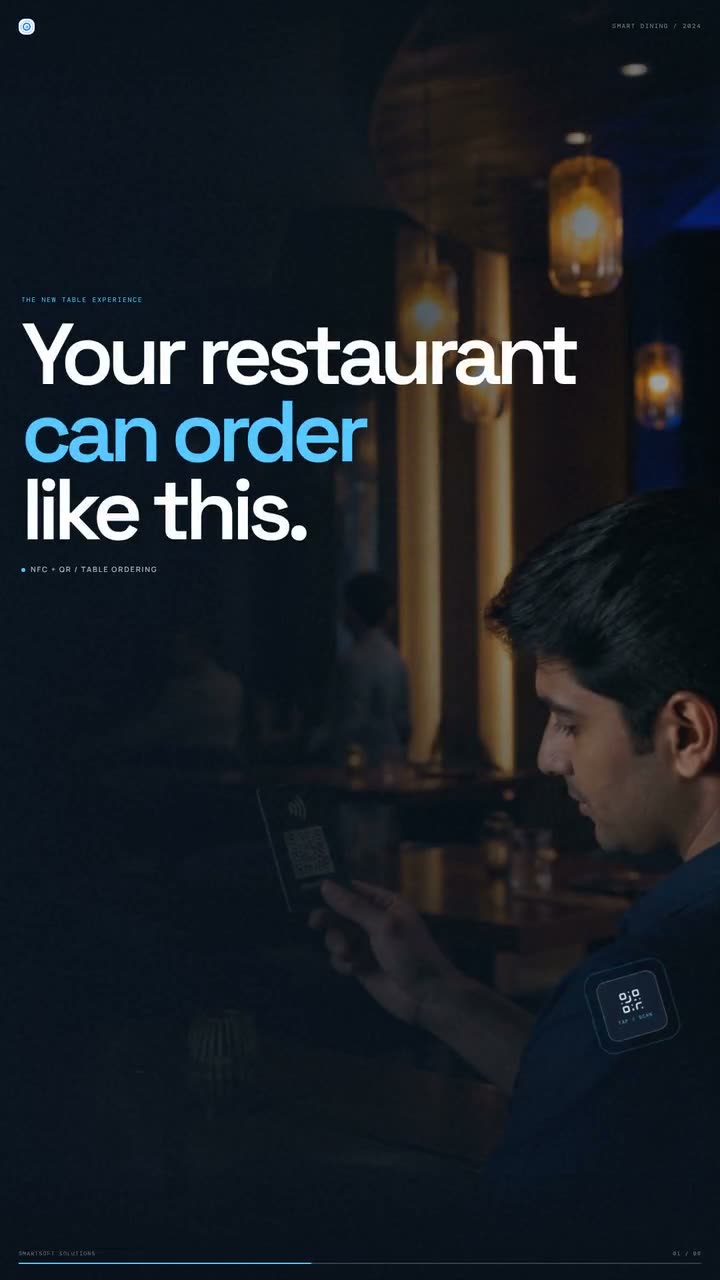
Silent 29-second walkthrough · tap, menu, cart, dashboard
- Guest app
- None — phone browser
- Table identity
- Unique NFC + QR URL
- Kitchen view
- Live order dashboard
- Pilot
- Free for 1–2 restaurants
A digital menu that actually takes the order
Most Indian restaurants still print a card or stick a QR that opens a PDF. That is not ordering. SmartSoft is building the complete NFC + QR table system: live menu, cart, unique table links, and a floor dashboard — so the phone takes the ticket and the kitchen knows which table it came from.

Printed card vs QR PDF vs tap-to-order
If the kitchen still writes tickets by hand, the QR did not change the operation.
Still a brochure
Printed menu
- Guest reads a card
- Reprint to change prices
- Waiters warn about 86’d items
- Waiter writes the table
- Handwritten kitchen ticket
Still a brochure
QR → PDF
- Scan, then pinch-zoom a file
- Re-upload to change prices
- Stale list on the phone
- No table identity
- Order still taken verbally
The complete system
SmartSoft NFC + QR
- Tap or scan, then order
- Change prices in the dashboard
- Hide items that are 86’d
- Unique NFC + QR link per table
- Live dashboard with status
What the complete system includes
If any of these is missing, you still have a brochure. We ship the loop as one product.
01
NFC card
Tap the table. The live menu opens in the browser — no download.
02
QR backup
Same unique link if the phone cannot tap. Nobody is stuck.
03
Live menu
Prices, photos, categories, and in-stock flags you can change today.
04
Guest cart
Add dishes, notes, and place the order from the phone.
05
Table identity
Each table has its own URL so the kitchen knows where it came from.
06
Staff dashboard
New orders with quantity and total, in real time.
07
Order status
Accepted, preparing, ready, completed — one tap on the floor.
08
Pilot in India
Free setup for 1–2 restaurants with real customers.
How a table order flows
Unique links are the whole trick. Table 12 never shares Table 7’s URL.
01
Sit down
NFC card and QR are on the table. No download, no login wall for a first order.
02
Tap or scan
NFC opens the unique table URL. QR is the backup for the same link.
03
Browse the menu
The guest sees live prices, photos, and what is actually in stock.
04
Cart and send
Items go to cart. Place order from the browser — the ticket is the phone.
05
Floor sees it
The dashboard shows table number, line items, quantity, and total.
06
Status updates
Staff mark accepted, preparing, ready, then completed so the floor stays in sync.
What ships in the pilot
- Unique NFC + QR link per table
- Digital menu with prices, photos, and availability
- Guest cart and place-order flow in the browser
- Staff dashboard with live orders and table numbers
- Order statuses: accepted, preparing, ready, completed
After the pilot works
We will not bolt on extras until real tables are ordering. Then paid features can include:
- UPI / card payments at the table
- WhatsApp alerts for new orders
- Kitchen display screen
- Sales analytics by item and hour
Limited pilot
Free pilot: the complete system on real tables
We are looking for 1–2 Indian restaurants that will run this with real customers — tap, scan, order, dashboard. Not a PDF demo. Tell us city, covers, and whether tables already have QR standees. If the fit is right, we set up the full basic loop at no charge.
Frequently asked questions
Is this just a QR that opens a PDF menu?
+
No. We are building the complete table-ordering system: NFC tap plus QR backup, live menu with photos and availability, cart and place-order, unique table identity, and a staff dashboard with status updates. A PDF behind a QR is still a printed menu on a phone.
Does the guest need to install an app?
+
No. The guest taps the NFC card or scans the QR code. The restaurant menu opens in the phone browser. They can browse, add to cart, and place the order from there.
How does the kitchen know which table ordered?
+
Each table has a unique link encoded on its NFC card and QR code. When an order is placed, the dashboard shows the table number with items, quantity, and total.
Will NFC tap work on iPhone?
+
Recent iPhones can open NFC URL tags. Android tap is widely supported. Every table also has a QR backup that opens the same unique link, so a guest is never stuck if tap fails.
What is included in the free pilot?
+
We will run the basic system with 1–2 restaurants: table links, digital menu with prices and photos, cart and order, and a staff dashboard with live orders and status updates. Payments, WhatsApp alerts, kitchen display, and analytics come after the pilot works with real customers.
Can we hide items that are out of stock?
+
Yes. Staff can mark item availability so guests see what is actually being served that day — not a stale printed card.
Do you print the NFC cards?
+
The software is the product. NFC cards and table QR standees can be sourced with you as part of the pilot setup. We encode each table’s unique link so tap and scan both land on the same menu.
Explore SmartSoft Solutions
Jump to the pages that matter for quotes, services, and live work.
- Website & e-commerce development
- Custom web app development
- SEO services
- Digital marketing
- Website development in Ghaziabad
- Selected work
- Pricing & quotes
- Free website review
- India city pages
- What a business website costs in India
- Website development cost in Delhi
- Hiring a web developer for a local business
- All guides
- Get a fixed quote
- Contact

Want this on your tables?
Apply for the free 1–2 restaurant pilot — or send a brief if you already know you want a paid build.