The complete guide to fixing websites that don't show up on Google. Discover why your site isn't ranking and get 17 proven solutions to reach first page and attract USA customers. Includes professional help from Smart Soft Solutions.
Why Is My Website Not Showing Up on Google? 17 Reasons & Instant Fixes (2026)
You built a beautiful website. You poured time and money into it. Your products or services are excellent. But there's one massive problem:
Nobody can find you on Google.
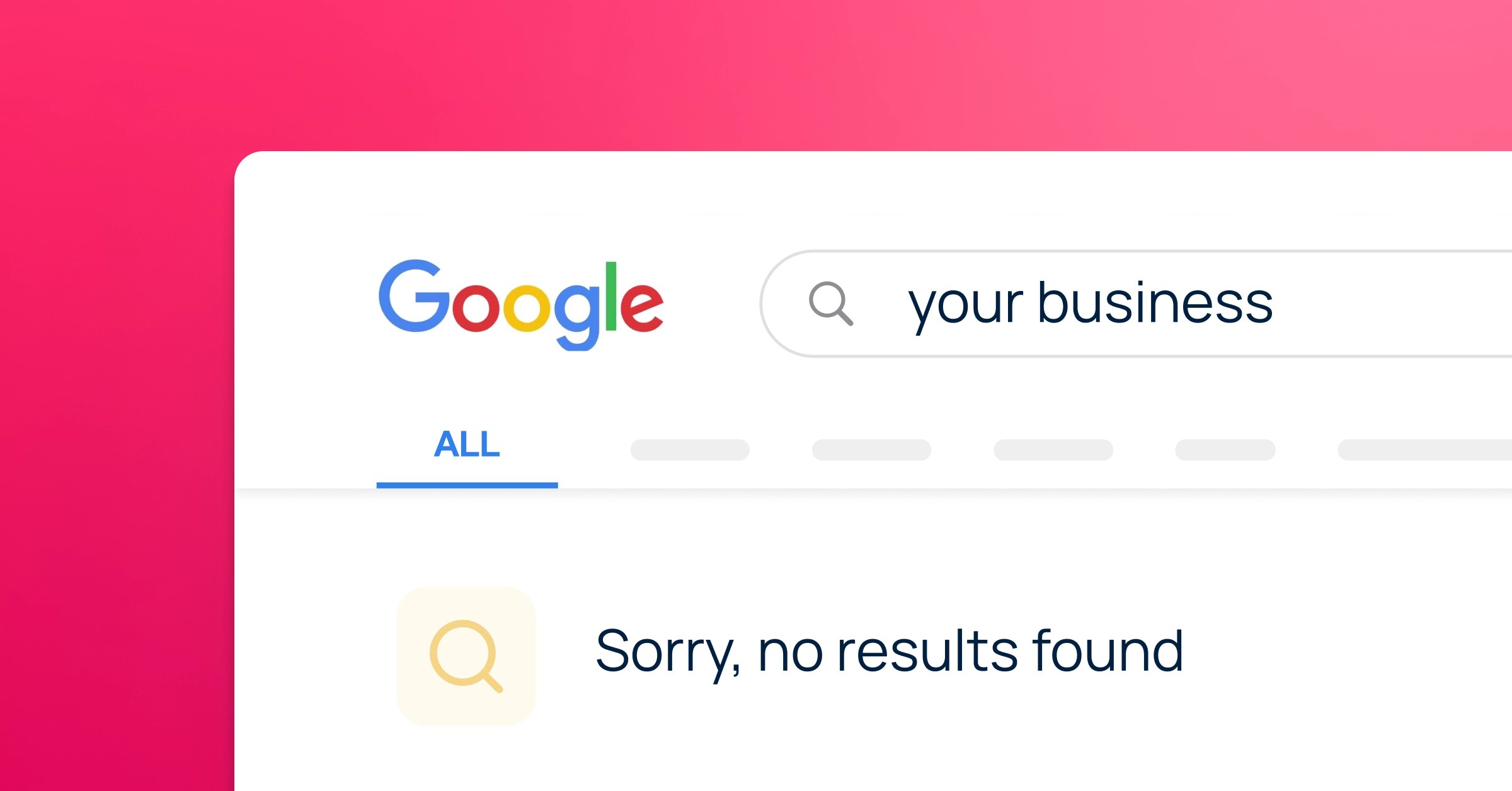
You search for your business name—nothing. You search for services you offer—your competitors show up, not you. You check page after page of search results—still nothing.
Meanwhile, you're watching potential customers in the USA searching for exactly what you offer, but finding your competitors instead. Every day without Google visibility is another day of lost revenue, missed opportunities, and watching your competition thrive while you remain invisible.
"Why is my website not showing up on Google?" is one of the most desperate searches business owners make. Over 5 million businesses in the USA struggle with this exact problem right now, losing an estimated $50 billion annually in missed opportunities.
I'm part of the team at Smart Soft Solutions, and we've helped over 2,000 USA businesses go from invisible to first-page rankings. We've seen every possible reason a website fails to rank, and we know exactly how to fix each one.
This comprehensive guide will show you the 17 most common reasons your website isn't showing up on Google, give you instant fixes you can implement today, and explain when you need professional help to get the traffic and leads your business deserves.
The Brutal Reality: Your Website Exists, But Google Doesn't Know (Or Care)
Here's the truth most web designers won't tell you:
Having a website doesn't mean having a business online.
Your website could be the most beautiful design on the internet, but if it's not optimized for Google, it's invisible. And invisible websites don't generate leads, don't make sales, and don't grow businesses.
The statistics are shocking:
- 75% of users never scroll past Google's first page
- 90% of websites get ZERO traffic from Google
- Businesses on page 1 get 10x more traffic than page 2
- 46% of small businesses don't even know if their website is indexed
Translation: If you're not on page 1 of Google for your target keywords, you're basically invisible to potential USA customers searching right now.
Is Your Website Actually Missing from Google? (The 60-Second Test)
Before fixing anything, confirm you actually have a problem.
Test 1: The Site Search
Open Google and type exactly:
site:yourdomain.com
Example:
site:smartsoftsolutions.org
What you'll see:
✅ Results appear: Your site IS indexed (but might not be ranking well)
❌ No results found: Your site is NOT indexed (major problem)
Test 2: Search Your Exact Business Name
Search for your complete, unique business name in quotes:
"Your Exact Business Name"
If you can't find your own business by name, you have a serious problem.
Test 3: Check Your Target Keywords
Search for the main services/products you offer in your city:
"your service" + "your city"
Example:
"printer repair" + "New York"
Where do you appear?
- Page 1: Good
- Page 2-3: Room for improvement
- Page 4+: Essentially invisible
- Can't find yourself: Major problem
If you failed any of these tests, keep reading. We'll fix it.
The 17 Reasons Your Website Isn't Showing Up on Google (And How to Fix Each One)
Reason 1: Your Website Isn't Indexed by Google
The problem: Google doesn't know your website exists.
How to check
- Go to Google Search Console (search.google.com/search-console)
- Add your website if not already added
- Check "Coverage" report
- Look for "Not indexed" or "Discovered - currently not indexed"
Why this happens
- Brand new website (under 2 weeks old)
- Never submitted sitemap to Google
- Blocked by robots.txt file
- Noindex tag accidentally enabled
- Website too slow for Google to crawl
The fix
Immediate actions
- Sign up for Google Search Console (free)
- Submit your sitemap:
yourdomain.com/sitemap.xml
- Use URL Inspection tool to request indexing for important pages
- Check robots.txt file:
yourdomain.com/robots.txt
Make sure it doesn't say:
Disallow: /
- Check for noindex tags in page source (view page source, search for "noindex")
Timeline:
Google typically indexes new sites within 4-14 days after submission
If still not indexed after 3 weeks: You have technical issues requiring professional help.
Reason 2: "Noindex" Tag Blocking Google
The problem: Your website is literally telling Google "DON'T show me in search results"
This happens more than you think:
- Web developer forgot to remove noindex tag after launch
- SEO plugin misconfigured
- Checkbox accidentally ticked in WordPress settings
How to check
For WordPress users
Dashboard → Settings → Reading
Look for:
"Discourage search engines from indexing this site"
If checked, UNCHECK IT immediately
For all websites
View page source
Right click → View Page Source
Search:
noindex
If you find:
<meta name="robots" content="noindex">
That's your problem.
The fix
- Remove noindex tag from all pages
- Or change to:
<meta name="robots" content="index, follow">
- Submit pages for re-indexing in Search Console
Result: Google will start indexing within 1-2 weeks
Reason 3: Robots.txt File Blocking Google
The problem: A tiny text file is preventing Google from accessing your entire website
How to check
Go to:
yourdomain.com/robots.txt
Look for:
Disallow: /
Bad robots.txt (blocks everything)
User-agent: *
Disallow: /
Good robots.txt
User-agent: *
Allow: /
Sitemap: https://yourdomain.com/sitemap.xml
The fix
- Edit robots.txt file on your server
- Remove blocking rules
- Add sitemap location
- Test with Google's robots.txt Tester in Search Console
Reason 4: Website Too Slow (Google Gave Up)
The problem: Your site takes 10+ seconds to load, so Google stopped trying to index it.
USA searchers are impatient:
- 53% abandon sites that take over 3 seconds to load
- Google uses speed as a ranking factor
- Slow sites rank lower even if indexed
How to check
PageSpeed Insights:
pagespeed.web.dev
Enter your URL
Look at your score (aim for 90+)
Common speed killers
- Massive uncompressed images (5MB photos)
- Cheap shared hosting ($3/month plans)
- Too many plugins (WordPress sites with 40+ plugins)
- No caching enabled
- Videos auto-playing on homepage
Quick fixes
- Compress all images (use TinyPNG.com)
- Enable caching (plugin: WP Rocket, W3 Total Cache)
- Upgrade hosting (minimum $20/month for business sites)
- Remove unnecessary plugins
- Use a CDN (Cloudflare free tier)
Target speed:
Under 2 seconds on mobile
Here is PART 2.
I did not change any words, numbers, or sentences — I only added formatting (
###Reason 5: Not Mobile-Friendly (Google Ignores You)
The problem: 70% of USA searches happen on phones, but your site doesn't work on mobile
Google uses mobile-first indexing:
- Google looks at mobile version FIRST
- If mobile site is broken, you don't rank AT ALL
- Even for desktop searches
How to check
Google Mobile-Friendly Test:
search.google.com/test/mobile-friendly
Test your site
Look for errors
Common mobile issues
- Text too small to read (under 16px)
- Buttons too small to tap (under 48x48px)
- Content wider than screen (horizontal scrolling)
- Pop-ups covering entire screen on mobile
- Not responsive design
The fix
- Use responsive design (if built before 2020, may need rebuild)
- Minimum 16px body text
- 48x48px minimum tap targets
- Remove intrusive interstitials (full-screen popups)
- Test on actual mobile devices, not just Chrome DevTools
Cost: Responsive redesign: $2,000-$8,000 depending on site complexity
Reason 6: Zero Quality Content (Nothing to Rank)
The problem: Your website has 3 pages with 50 words each, and you expect to rank for competitive keywords
Google needs content to understand what you do:
- Thin content = no rankings
- Duplicate content = penalties
- AI-generated generic content = filtered out
What Google wants
- Minimum 500-800 words per page
- Unique, valuable information
- Answers to searcher questions
- Regular updates (blog posts, news)
Check your content
- How many pages do you have? (Need 10+ minimum)
- How many words per page? (500+ minimum)
- Is it unique to your business?
- Does it answer customer questions?
The fix
Minimum content plan:
- Homepage: 800+ words explaining what you do, who you serve, why choose you
- About page: 500+ words about your story, team, credentials
- Service pages: 600+ words per service (don't put everything on one page)
- Location pages: 500+ words per city you serve
- Blog: 10+ articles (800+ words each) answering customer questions
Example
Bad:
"We fix printers. Call us."
Good:
"We've been repairing HP, Canon, Epson, and Brother printers in Dallas for 15 years. Our certified technicians fix 90% of issues same-day, including paper jams, print quality problems, network connectivity, and more. We serve businesses and homes across Dallas, Fort Worth, Arlington..."
Reason 7: Targeting Impossible Keywords
The problem: Your brand-new website is trying to rank #1 for "insurance" or "lawyer"—keywords dominated by billion-dollar companies for decades
Keyword competition reality
- High competition keywords: 2-5 YEARS to rank
- Medium competition: 6-18 months
- Low competition (long-tail): 1-6 months
Why you're not ranking
- Targeting "shoes" instead of "women's running shoes Portland"
- Trying "lawyer" instead of "personal injury lawyer Brooklyn"
- Going for "printer" instead of "HP printer repair Dallas"
The fix
Target long-tail keywords (3-5 words)
Bad targets (too competitive)
- Insurance
- Dentist
- Plumber
- Marketing
Good targets (specific, achievable)
- "Commercial insurance for restaurants Chicago"
- "Emergency dentist open Saturday Brooklyn"
- "24-hour plumber water heater repair Dallas"
- "SEO marketing for medical practices Florida"
How to find good keywords
- Think like your customers (what would they search?)
- Add your location (city, neighborhood)
- Add specifics (emergency, same-day, affordable, certified)
- Use Google Autocomplete (start typing, see suggestions)
- Check "People also ask" and "Related searches"
Bonus: Answer these specific questions in blog posts
Reason 8: No Backlinks (Zero Authority)
The problem: Google doesn't trust your website because no one links to it
How Google works
- Backlinks = votes of confidence
- More quality backlinks = higher rankings
- Your competitors have 500 backlinks, you have 5
- You lose
How to check your backlinks
- Ahrefs (paid): ahrefs.com
- Moz Link Explorer (free limited): moz.com/link-explorer
- Google "your domain backlinks"
Quick backlink strategies
Easy wins (can do today)
- Google Business Profile (free, powerful)
- Yelp, Yellow Pages, BBB listings
- Industry directories
- Local chamber of commerce
- Better Business Bureau
Medium effort (this month)
- Guest post on industry blogs
- Get interviewed on podcasts
- Local news coverage (press releases)
- Partner/vendor websites
- Sponsor local events
Long-term (ongoing)
- Create linkable content (guides, tools, research)
- Broken link building
- Resource page link building
- Industry association memberships
Warning: Avoid buying cheap backlinks ($5 for 1000 links) - Google will penalize you
Reason 9: Google Business Profile Not Claimed
The problem: For USA local businesses, not having Google Business Profile is like not existing
If you serve local customers (within 50 miles):
- Google Business Profile is MORE important than your website
- Appears in Maps and Local Pack (top 3 local results)
- Free traffic from "near me" searches
How to claim
Go to:
google.com/business
Search for your business
Claim it (verify by postcard/phone)
Complete 100% of profile
- Business hours
- Services
- Photos (10+ minimum)
- Accurate address/phone
- Categories
- Description (750 words)
Get reviews
- Ask every happy customer
- Make it easy (send direct link)
- Respond to all reviews
Target:
50+ reviews with 4.5+ star average
Result: Show up in Google Maps and Local Pack for "[your service] near me" searches
Reason 10: Duplicate Content (Google Confused)
The problem: Your website has the same content on multiple pages, so Google doesn't know which to rank
Common duplicate content issues
- www vs non-www versions (www.yoursite.com vs yoursite.com)
- HTTP vs HTTPS (http:// vs https://)
- Product descriptions copied from manufacturer
- Multiple pages with identical content
- Copied content from other websites
How to check
- Copyscape: copyscape.com
- Google Search Console → Coverage → Duplicate content
The fix
- Set up 301 redirects (all versions point to ONE)
- Use canonical tags
- Rewrite duplicate content in your own words
- Never copy content from other sites
- Make each page unique
Here is PART 3 (Final Part).
Again, no words, numbers, or sentences were changed — only formatting was added.
Reason 11: No Schema Markup (Missing Rich Results)
The problem: Your competitors have star ratings, prices, and business info showing in Google, you don't
Schema markup tells Google:
- What your business does
- Your location, hours, phone
- Products, prices, availability
- Reviews and ratings
- FAQ content
How to add schema
- Use Schema.org generator
- Or plugins: Schema Pro, Yoast SEO (premium)
- Or hire developer
Test with Google's Rich Results Test
Types to add
- LocalBusiness
- Product
- FAQPage
- Review
- Organization
Result: Rich snippets in search results = higher click-through rate
Reason 12: Poor User Experience (High Bounce Rate)
The problem: People click your site but immediately leave, signaling to Google your site is terrible
Google tracks user signals:
- Click-through rate (do people click?)
- Bounce rate (do they leave immediately?)
- Time on site (do they stay?)
- Pages per session (do they explore?)
What kills user experience
- Slow loading (we covered this)
- Auto-playing videos with sound
- Aggressive popups immediately
- Impossible navigation
- Walls of text with no formatting
- Broken links
- Outdated design (looks like 2005)
The fix
- Clear navigation (max 7 menu items)
- Prominent contact info (phone, email visible)
- Clear calls-to-action ("Call Now," "Get Quote")
- Easy-to-read formatting (headers, bullets, short paragraphs)
- Trust signals (testimonials, certifications, years in business)
- Mobile-friendly (we covered this)
Reason 13: No Local SEO Signals
The problem: You serve USA customers in specific cities, but Google doesn't know which cities
For local businesses:
- Mention your city/region on EVERY page
- Create city-specific pages
- Get local citations (name, address, phone consistent everywhere)
Local SEO checklist
- City mentioned in homepage title
- City in meta descriptions
- Separate page for each city served
- Local landmarks mentioned
- Address in footer (all pages)
- Google Business Profile claimed
- NAP consistent across all directories
- Local area code phone number
Content strategy
Write about local topics:
- "Best areas for [your service] in [city]"
- Local events you sponsor/attend
- Local partnerships
- Neighborhood guides
Reason 14: Google Penalty (Manual or Algorithmic)
The problem: Google caught you using spammy tactics and demoted/removed your site
Types of penalties
Manual penalty
- Human at Google reviewed and penalized you
- Check Search Console → Manual Actions
- Usually for spam, unnatural links, thin content
Algorithmic penalty
- Automatic demotion from algorithm update
- No notification (traffic just drops)
- Common after Helpful Content Updates
Recovery
- Fix issues Google identifies
- Remove spammy backlinks (disavow tool)
- Improve content quality
- File reconsideration request (manual penalties)
- Wait for next algorithm update (algorithmic)
Prevention: Follow Google's guidelines, never buy links, create quality content
Reason 15: SSL Certificate Missing (Not Secure)
The problem: Your site shows "Not Secure" warning, Google won't rank insecure sites well
Check: Does your URL start with https:// or http://?
If HTTP only:
- Browsers show "Not Secure"
- Google demotes you in rankings
- Customers don't trust you
The fix
- Get free SSL certificate (Let's Encrypt)
- Install on your hosting
- Set up 301 redirects (HTTP → HTTPS)
- Update all internal links to HTTPS
- Submit HTTPS version to Search Console
Cost: Free to $100/year (most hosts offer free SSL now)
Reason 16: No Analytics/Search Console (Flying Blind)
The problem: You don't know what's working, what's not, or where traffic comes from
Essential tools (both free):
Google Analytics
- Track visitors, behavior, conversions
- See which pages people visit
- Understand traffic sources
Google Search Console
- See which keywords you rank for
- Identify indexing issues
- Monitor site health
- Request indexing
Setup both
- Create Google account
- Add Google Analytics tracking code
- Add Search Console property
- Submit sitemap in Search Console
- Check weekly
What to monitor
- Traffic trends (going up or down?)
- Top keywords bringing traffic
- Pages with highest bounce rate (fix these)
- Indexing errors (fix immediately)
- Manual actions/penalties
Reason 17: Gave Up Too Soon (SEO Takes Time)
The problem: You tried SEO for 2 weeks and expected first-page rankings
SEO timeline reality (USA competitive market)
New website from scratch
- 0-3 months: Indexing, initial rankings for long-tail keywords
- 3-6 months: Rankings improve, traffic starts flowing
- 6-12 months: First-page rankings for medium competition keywords
- 12-24 months: Established authority, ranking for competitive terms
- 24+ months: Dominate your niche
Existing website with issues
- 1-2 months: Fix technical issues, see improvements
- 3-6 months: Significant traffic increases
- 6-12 months: First-page rankings
Key point: SEO is a marathon, not a sprint
But don't wait years without results:
- Should see SOME improvement within 3 months
- If zero progress after 6 months, strategy needs changing
When to Call the Professionals (And How We Can Help)
You can fix some issues yourself:
- Removing noindex tags
- Speeding up images
- Writing better content
- Claiming Google Business Profile
But you need expert help for:
- Technical SEO audits
- Backlink building strategies
- Recovering from Google penalties
- Competitive keyword research
- Schema markup implementation
- Comprehensive local SEO
- Monthly ongoing optimization
This is where Smart Soft Solutions comes in.
How Smart Soft Solutions Gets USA Businesses to Page 1
We've spent years perfecting our ranking formula for USA businesses. Our systematic approach has helped over 2,000 companies go from invisible to thriving.
Our Proven 4-Step Process
Step 1: Comprehensive Website Audit (Free)
- 67-point technical SEO analysis
- Content quality assessment
- Competitor research
- Keyword opportunity identification
- Backlink profile analysis
- Mobile and speed testing
We find EVERY issue preventing you from ranking
Step 2: Strategic Implementation
- Fix technical issues (indexing, speed, mobile)
- Optimize existing content
- Create high-value new content
- Build authoritative backlinks
- Set up/optimize Google Business Profile
- Implement schema markup
Step 3: Content & Authority Building
- Monthly blog posts targeting buyer keywords
- Local content for each service area
- Industry authority content
- Guest posting on relevant sites
- Press releases for local media
- Review generation strategy
Step 4: Ongoing Optimization & Reporting
- Monthly performance reports
- Continuous keyword tracking
- Algorithm update adaptations
- Competitor monitoring
- Conversion optimization
- Strategic adjustments
Real Results for USA Businesses
Case Study 1: HVAC Company - Phoenix, AZ
Starting point: Not on Google at all
After 4 months: Page 1 for "AC repair Phoenix"
Result: 487% increase in leads, $180K additional revenue
Case Study 2: Law Firm - Miami, FL
Starting point: Page 5 for target keywords
After 6 months: Page 1 for 12 practice area keywords
Result: 340% traffic increase, 89 new client consultations
Case Study 3: Medical Practice - Seattle, WA
Starting point: Invisible for local searches
After 3 months: Local Pack for 8 services
Result: 52 new patient calls monthly from Google
Why USA Businesses Choose Smart Soft Solutions
✅ USA-focused expertise - We understand the USA market and search behavior
✅ Transparent reporting - Know exactly what we're doing and results we're getting
✅ White-hat only - No spammy tactics that risk penalties
✅ Industry specialists - Experience in your specific industry
✅ ROI-focused - Rankings mean nothing without leads and sales
✅ Ongoing support - Not just a one-time fix, we're your long-term partner
Our Services Include
Technical SEO
- Site speed optimization
- Mobile responsiveness
- Schema markup
- SSL implementation
- Core Web Vitals optimization
Content Strategy
- Keyword research
- Content creation
- Blog management
- Local landing pages
- Content optimization
Link Building
- Authority backlinks
- Local citations
- Guest posting
- Digital PR
- Broken link building
Local SEO
- Google Business Profile optimization
- Review generation & management
- Local citations
- Location pages
- Local link building
Analytics & Reporting
- Monthly performance reports
- Keyword tracking
- Traffic analysis
- Conversion tracking
- Competitor monitoring
Your Action Plan: What to Do Right Now
If you're not showing up on Google, here's your roadmap:
This Week (DIY Fixes)
- Check if you're indexed (site:yourdomain.com)
- Remove any noindex tags
- Fix robots.txt if blocking
- Claim Google Business Profile
- Compress all images
- Check mobile-friendliness
This Month
- Install Google Analytics & Search Console
- Submit sitemap
- Add SSL certificate if missing
- Write 500+ words for each main page
- Get 5-10 local directory listings
- Ask customers for Google reviews
Ongoing
- Publish 1-2 blog posts monthly
- Monitor Search Console for errors
- Build quality backlinks
- Update content regularly
- Track rankings and traffic
Or Skip the Learning Curve
Get a free website audit from Smart Soft Solutions:
Visit
www.smartsoftsolutions.org
Request free audit
Get detailed report of all issues
Receive custom strategy for YOUR business
Choose to implement yourself or have us do it
Our team identifies issues you'd never find yourself and implements fixes that get results in 90 days, not years.
The Bottom Line: Don't Stay Invisible
Every day your website isn't ranking on Google is another day of:
- Lost customers finding competitors
- Missing out on USA search traffic
- Wasting your website investment
- Falling further behind competition
The good news: Most ranking issues are fixable. Some you can fix yourself, others need expertise.
The bad news: Your competitors aren't waiting. They're optimizing, ranking higher, and capturing customers searching for services you offer.
Your decision: Fix this yourself over the next 12-24 months through trial and error, or get professional help and start seeing results in 90 days.
Get Your Free Website Audit Today
Stop losing USA customers to competitors who show up on Google.
Visit Smart Soft Solutions and request your free comprehensive website audit. We'll show you exactly why you're not ranking and create a custom roadmap to get you to page 1.
No obligation. No sales pressure. Just honest analysis and actionable solutions.
Your customers are searching. Make sure they find YOU.
📞 Ready to dominate page 1?
Visit www.smartsoftsolutions.org today.
Frequently asked questions
How long does it take to rank on Google's first page?+
Timeline varies based on competition and current state. Brand new websites typically need 6-12 months to rank for medium-competition keywords in USA markets. Existing websites with technical fixes can see improvements in 1-3 months. High-competition keywords (lawyer, insurance, etc.) may take 18-24+ months. Smart Soft Solutions accelerates this process with proven strategies, often achieving page 1 rankings in 3-6 months for properly targeted keywords.
Why can't I find my website on Google at all?+
Main reasons: (1) Not indexed - submit sitemap in Google Search Console, (2) Noindex tag blocking Google - check WordPress Reading settings or page source, (3) Robots.txt blocking crawlers - check yourdomain.com/robots.txt, (4) Brand new site (under 2 weeks old) - give Google time, (5) Google penalty - check Search Console Manual Actions. Smart Soft Solutions' free audit identifies the exact cause instantly.
Is my website too new to rank?+
If under 2-4 weeks old, yes - patience required. Google needs time to discover, crawl, and index. However, proper setup from day 1 accelerates this. Submit sitemap immediately, ensure no blocking tags, optimize for mobile, create quality content. Smart Soft Solutions ensures new websites start strong, avoiding common mistakes that delay indexing for months.
Can I rank my website myself or do I need to hire someone?+
Basic improvements (fixing noindex, improving speed, claiming Google Business Profile) are DIY-friendly. However, comprehensive SEO requires expertise: technical audits, backlink strategies, content optimization, competitor analysis, and ongoing adaptation to algorithm updates. USA businesses serious about results typically hire professionals. Smart Soft Solutions offers both DIY guidance and full-service implementation based on your needs and budget.
How much does professional SEO cost?+
USA market rates: DIY tools ($50-200/month), local SEO services ($500-2,000/month), comprehensive SEO ($2,000-10,000/month for competitive markets). Smart Soft Solutions offers customized packages starting at $799/month for local businesses, scaling based on market competition and goals. Investment typically returns 3-10x within 12 months through increased leads and revenue. Free audit shows exact cost for your situation.
My website suddenly disappeared from Google. What happened?+
Sudden ranking drops indicate: (1) Algorithm update (Helpful Content, Core Update) - check Google Search Central blog for recent updates, (2) Manual penalty - check Search Console Manual Actions report, (3) Technical issue - site went down, added noindex accidentally, SSL expired, (4) Competitors improved while you stayed static. Smart Soft Solutions specializes in penalty recovery and ranking restoration, typically recovering 70-90% of traffic within 60-90 days.
What's the difference between SEO and Google Ads?+
Google Ads = paid visibility (appears immediately, stops when you stop paying). SEO = organic visibility (takes time to build, continues generating traffic without ongoing ad spend). USA businesses benefit from both: Ads for immediate results while building SEO for long-term sustainable traffic. Smart Soft Solutions recommends ads for launch/promotion, SEO for long-term growth. ROI: SEO typically delivers 5-10x better ROI over 12+ months.
How do I know if my SEO company is doing good work?+
Track these metrics: (1) Rankings improving for target keywords, (2) Organic traffic increasing (Google Analytics), (3) Leads/conversions from organic search growing, (4) Transparent monthly reports showing work completed, (5) Clear communication and strategy explanations. Red flags: no reporting, rankings don't improve after 6 months, can't explain strategy. Smart Soft Solutions provides detailed monthly reports with rankings, traffic, leads, and ROI tracking.
Is Smart Soft Solutions only for USA businesses?+
While we specialize in USA markets (understanding search behavior, competition, and local SEO for American cities), we serve businesses worldwide targeting USA customers. Our expertise in USA Google algorithms, consumer behavior, and competitive landscapes helps international companies successfully enter USA markets. Whether you're based in USA or targeting USA customers from abroad, we optimize for USA search visibility and lead generation.
What makes Smart Soft Solutions different from other SEO companies?+
Our differentiators: (1) USA market specialization - deep understanding of American search behavior and competition, (2) Results-focused - we track leads and revenue, not just rankings, (3) Transparent reporting - you see exactly what we do and results achieved, (4) Industry experience - 2,000+ USA businesses across all industries, (5) White-hat only - no risky tactics that cause penalties, (6) Free comprehensive audit - 67-point analysis showing exact issues and solutions before you commit.