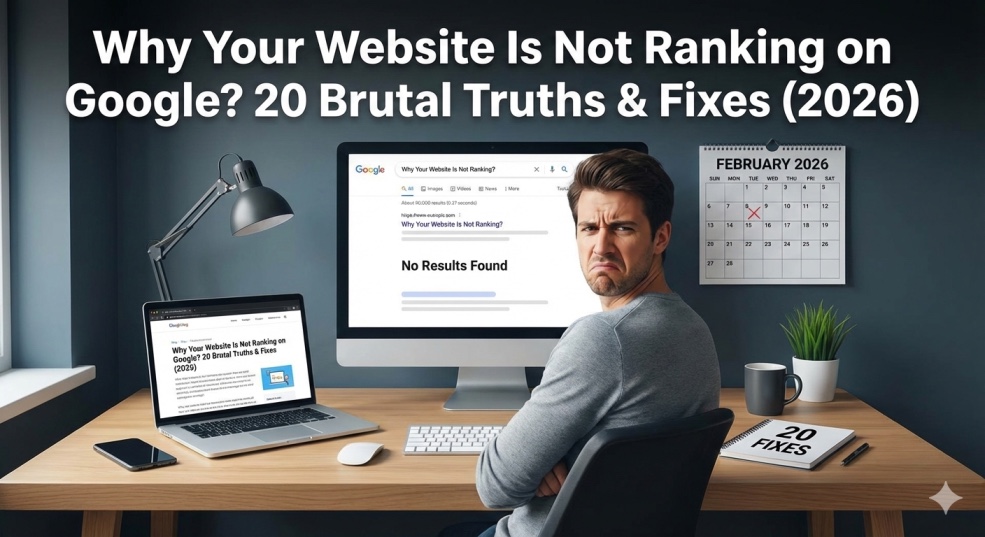
The most brutally honest SEO guide of 2026. Discover exactly why your website is invisible on Google, what's silently killing your rankings, and get 20 proven fixes that actually work. Real solutions from real results.
Why Your Website Is Not Ranking on Google? 20 Brutal Truths & Fixes (2026)
You built a beautiful website. You spent weeks on it. You hit publish. You waited.
Then you searched for your business on Google. You looked through page 1. Page 2. Page 3. You gave up on page 7 because nobody ever goes to page 7.
Your website is practically invisible.
This is the most common, most devastating, and most fixable problem in digital marketing. And the painful irony? You probably have a better business, better service, and better content than half the websites outranking you. But they rank on page 1. You don't.
"Why is my website not ranking on Google" is one of the most-searched SEO questions online, asked by millions of frustrated business owners, bloggers, and developers every single month. In 2026, Google's algorithms are smarter, AI-driven search experiences are reshaping visibility, and user intent has become the most important ranking factor. Yet many websites are still losing traffic for the same avoidable reasons.
I've been doing SEO professionally for 13 years, managing search campaigns for over 500 websites. I've taken websites from page 10 to position 1. I've also watched great businesses remain invisible because they kept making the same silent killers over and over.
This guide exposes 20 brutal truths about why your website isn't ranking, what's really going on behind the scenes, and most importantly — exactly how to fix each one.
By the end of this, you won't just understand SEO. You'll have a complete action plan to get your website ranking on page 1.
The Brutal Reality About Google Rankings
Before we dive in, you need to understand something nobody tells you upfront:
Getting to page 1 on Google is a competition. Not a participation trophy.
There are only 10 organic spots on page 1. Thousands of websites are competing for each one. Google doesn't rank the "nicest" website or the "most deserving" business. It ranks the websites that best satisfy its algorithm and user intent.
Google uses over 200 ranking factors in their algorithm.
The top 8 most important are: Quality Content, Technical SEO, Keyword Optimization, User Experience, Schema Markup, Social Signals, and Brand Signals.
Most websites fail at 5 or more of these. You're about to find out which ones are killing YOU.
The 20 Real Reasons Your Website Isn't Ranking
Problem 1: Your Website Is Too New (The Age Factor)
Why this happens: Google doesn't trust new websites. Period.
New domains go through what's called the "Google Sandbox" — an unofficial probationary period where new sites get limited visibility regardless of how good their content is.
How long does it take?
- New domain: 6-12 months before significant rankings
- New content on aged domain: 3-6 months
- New website with backlinks and authority: 3-4 months
Signs this is your problem:
- Website is under 6 months old
- Very few or zero backlinks
- No Google Search Console history
The Fix:
- Be patient (can't rush this entirely)
- Publish fresh content consistently from day one
- Build backlinks early (even small local directories help)
- Set up Google Search Console and submit sitemap immediately
- Get social media profiles and link to website
- Focus on long-tail keywords while domain ages
Reality check: Every successful website went through this phase. It's temporary.
Problem 2: You're Targeting Keywords That Are Impossible to Win
Why this happens: You're fighting for "best coffee" or "plumber" when you're a brand-new website competing against brands with decades of authority and thousands of backlinks.
The keyword competition reality:
- 1-word keywords: Dominated by Amazon, Wikipedia, massive brands
- 2-word keywords: Extremely competitive, need high domain authority
- 3-4 word keywords: Moderately competitive, winnable with effort
- 5+ word keywords: Often low competition, high intent, easy wins
Signs this is your problem:
- Targeting single-word or two-word broad terms
- Competing with Wikipedia, Amazon, major brands on same keyword
- Your site has very few pages and backlinks
- Keywords you target have millions of results
The Fix:
- Stop targeting broad, impossible keywords
- Start with long-tail keywords (3+ words, specific intent)
- Use free tools: Google Keyword Planner, Ubersuggest, Answer the Public
- Look for keywords with under 10,000 monthly searches to start
- Focus on question-based keywords: "how to", "what is", "why does"
- Win small keywords first, then scale to bigger ones
Example transformation:
- ❌ "Plumber" (impossible) → ✅ "Emergency plumber Houston Texas available 24 hours"
- ❌ "Coffee" (impossible) → ✅ "Best organic dark roast coffee for French press"
Problem 3: Your Content Is Thin, Shallow, and Forgettable
Why this happens: You published a 300-word page and expected Google to rank it above 3,000-word comprehensive guides.
Search intent falls into four categories: informational, navigational, commercial, and transactional. Rankings require aligning content format and depth with what users actually seek when entering queries. Pages matching search intent receive significantly higher engagement metrics including time-on-page, scroll depth, and conversion actions compared to mismatched content.
The hard truth: Google wants to show users the best, most complete answer to their question. A 300-word page rarely is.
Signs this is your problem:
- Most pages under 600 words
- No headings, bullet points, or structure
- Covers topic surface level only
- High bounce rate (people leave quickly)
- Low time-on-page
The Fix:
- Audit every page — delete or expand thin content
- Aim for 1,500-3,000 words for competitive keywords
- Answer EVERY question related to your topic
- Structure content with H2/H3 headings
- Include images, examples, and data
Match the content format users expect:
- Tutorial? → Step-by-step format
- Comparison? → Table + analysis
- Question? → Direct answer first, then detail
Include FAQ section covering related questions
Content quality checklist:
- ✅ Does it answer the user's question completely?
- ✅ Is it longer and better than top 3 ranking pages?
- ✅ Does it include original insights or data?
- ✅ Does it have clear headings and structure?
Problem 4: Zero Backlinks (Nobody Links to You)
Why this happens: Backlinks are votes of confidence. Google sees them as proof your content is valuable.
Google has confirmed SSL certificates as a ranking signal. Quality content is the most important SEO factor. But backlinks are the second most critical factor.
The backlink reality:
- Pages with zero backlinks rank for almost nothing competitive
- Top-ranking pages have on average 3-5x more backlinks than page 2 results
- One link from a high-authority site > 100 links from low-quality sites
Signs this is your problem:
- Check backlinks on ahrefs.com/backlink-checker (free)
- Your site shows under 10 referring domains
- Competitors have hundreds or thousands of backlinks
The Fix:
- Write genuinely linkable content (guides, studies, tools)
- Guest posting: Write articles for other websites in your industry
- Local citations: Get listed in Google Business, Yelp, industry directories
- HARO (Help a Reporter Out): Answer journalist questions, get links from news sites
- Broken link building: Find broken links on competitor sites, offer your content as replacement
Create resources people naturally want to link to:
- Original research
- Infographics
- Free tools or calculators
- Comprehensive guides
Ask for links: Email businesses you've worked with
Start goal: 10 quality backlinks from relevant websites. That's enough to start ranking for long-tail keywords.
Problem 5: Painfully Slow Website Speed
Why this happens: According to HTTP Archive's 2024 Web Almanac, 64% of websites do not meet the performance standards across all three Core Web Vitals metrics. MIT research demonstrates that every 100-millisecond delay in page load time reduces conversion rates by approximately 7%.
Google measures website speed using Core Web Vitals, and slow sites get pushed down rankings.
Speed benchmarks Google wants:
- Largest Contentful Paint (LCP): Under 2.5 seconds
- First Input Delay (FID): Under 100 milliseconds
- Cumulative Layout Shift (CLS): Under 0.1
Signs this is your problem:
- Test at: PageSpeed Insights (pagespeed.web.dev)
- Score under 50 = serious problem
- Score 50-89 = needs improvement
- Score 90+ = good
The Fix:
- Compress all images to WebP format (biggest speed win)
- Use a CDN (Cloudflare free tier works great)
- Enable caching on your server
- Remove unused plugins (every plugin adds weight)
- Upgrade hosting (shared $3/month hosting is too slow)
- Minify CSS and JavaScript files
- Use lazy loading for images
- Choose lightweight themes (avoid page builders with 50+ scripts)
Quick wins: Image compression alone can cut load time 40-60%.
Problem 6: Your Website Isn't Mobile-Friendly
Why this matters: Google uses mobile-first indexing. It crawls and ranks the MOBILE version of your website first.
Since the shift to mobile-first indexing, Google uses the mobile version of your site for ranking and indexing.
Common pitfalls:
Tiny buttons, intrusive pop-ups that block the screen, and text that requires "pinching" to zoom.
Signs this is your problem:
- Test: search.google.com/test/mobile-friendly
- Text too small to read on mobile
- Buttons too small to tap
- Horizontal scrolling required
- Popups blocking content on mobile
The Fix:
- Use responsive design (adjusts to all screen sizes)
- Minimum 16px font size
- Minimum 48x48 pixel tap targets for buttons
- Remove mobile popups appearing in first 5 seconds
- Simplify navigation for mobile screens
- Test on actual phones (not just desktop browser)
- Remove intrusive interstitials Google penalizes
Problem 7: Missing or Broken Title Tags and Meta Descriptions
Why this matters: Title tags are the #1 on-page SEO factor. They tell Google exactly what your page is about.
The most common technical SEO problems include crawl blocks (robots.txt), incorrect indexing signals such as noindex tags or faulty canonicals, slow Core Web Vitals, broken internal links, and duplicate URLs.
The meta description reality: It doesn't directly impact rankings but dramatically affects click-through rates from search results.
Signs this is your problem:
- Pages have no title tag or generic "Home" title
- Multiple pages with identical titles
- Title tags over 60 characters (gets cut off in results)
- No meta descriptions
The Fix:
- Perfect Title Tag Formula:
- Primary Keyword | Secondary Keyword - Brand Name
- Example: Printer Not Printing? 14 Proven Fixes | PrinterHelp.com
Rules:
- 50-60 characters
- Primary keyword at the beginning
- Unique for every page
- Compelling and descriptive
Perfect Meta Description:
- 150-160 characters
- Include primary keyword naturally
- Add call to action ("Learn how," "Discover," "Get the fix")
- Make it compelling (affects click-through rate)
- Unique for every page
Problem 8: Duplicate Content Across Your Website
Why this happens: Keyword cannibalization happens when you have multiple pages targeting the exact same keyword. You're essentially competing against yourself. Google doesn't like it.
Signs this is your problem:
- Multiple pages about same topic
- Copied content from other websites
- Product descriptions copied from manufacturer
- Same content on multiple URLs
- WWW vs non-WWW duplicate pages
The Fix:
- Audit for duplicate content (use Copyscape or Siteliner)
- Merge duplicate pages into one comprehensive page
- Use 301 redirects from old URLs to keep
- Set canonical tags on similar pages
- Rewrite copied content with unique perspective
- Set preferred version (www vs non-www) in Google Search Console
- Never copy content from competitors
Problem 9: Your Website Has No SSL Certificate (HTTP not HTTPS)
Why this matters: Google has confirmed HTTPS as a ranking signal. An SSL certificate is confirmed by Google as a ranking signal.
Beyond rankings, browsers show "Not Secure" warning which destroys trust.
The Fix:
I- nstall SSL certificate (free with Let's Encrypt)
- Most hosting providers offer free SSL in cPanel
- Redirect all HTTP to HTTPS (301 redirect)
- Update internal links to HTTPS version
- Resubmit sitemap with HTTPS URLs in Search Console
Cost: FREE. There's zero reason to not have this.
Problem 10: You Haven't Set Up Google Search Console
Why this matters: Google Search Console tells you exactly what keywords you rank for, what errors exist, and how Google sees your site.
Flying blind without it.
The Fix:
Setup (5 minutes):
- Go to search.google.com/search-console
- Click "Add Property"
- Enter your website URL
- Verify ownership (HTML tag method is easiest)
- Submit XML sitemap (sitemap.xml)
Check weekly for:
- Coverage issues
- Core Web Vitals
- Manual actions
- Queries driving traffic
Critical reports to monitor:
- Coverage: Shows which pages are/aren't indexed
- Performance: Keywords and clicks
- Core Web Vitals: Speed issues
- Mobile Usability: Mobile problems
Problem 11: Keyword Stuffing Is Destroying Your Rankings
Why this kills you: Keyword stuffing remains a significant SEO mistake that triggers spam detection algorithms and ranking penalties. Modern natural language processing identifies unnatural keyword density patterns automatically. Content with excessive keyword repetition also increases bounce rates by 34% and reduces user engagement significantly, creating compound negative effects on search performance.
Signs this is your problem:
- Keywords appear unnaturally every few sentences
- Content sounds robotic and forced
- Same phrase repeated identically multiple times
- Hidden keywords in white text
The Fix:
- Write for humans first, search engines second
- Target keyword density: 1-2% (once per 100 words)
- Use semantic variations naturally (don't repeat exact phrase)
- Write naturally, then check keyword appears naturally
- Use related terms and synonyms throughout
- Remove any hidden text immediately
Problem 12: Broken Links Are Killing Your Credibility
Why this matters: Links are the highways of the internet. If a road leads to a dead end (a 404 error), the user and the search crawler gets frustrated. Fix broken links and use descriptive anchor text.
Signs this is your problem:
- Pages returning 404 errors
- Broken navigation links
- External links to sites that no longer exist
- Redirect chains (A → B → C → D)
The Fix:
- Run free audit at Screaming Frog or Ahrefs Webmaster Tools
- Fix all internal broken links
- Update or remove broken external links
- Set up 301 redirects for deleted pages
- Create custom 404 page with navigation
- Monitor monthly for new broken links
Problem 13: You Have No Local SEO (If You're a Local Business)
Why this is critical: With 60%+ of local searches ending without a website click, your Google Business Profile is where most customers interact with your business.
In January 2025, only 6% of consumers used ChatGPT to find local businesses. By January 2026, that number hit 45%, making it the third most popular way people discover local businesses, right behind Google and word-of-mouth.
Signs this is your problem:
- No Google Business Profile
- Inconsistent Name, Address, Phone (NAP) across web
- No customer reviews
- Not showing in local map pack
The Fix:
- Claim Google Business Profile (business.google.com)
- Fill out EVERY field completely
- Add 10+ photos (exterior, interior, team, products)
- Get minimum 10 Google reviews
Keep NAP identical everywhere:
- Website
- Social media
- Directories
- Google Business
Get listed in: Yelp, Yellow Pages, industry directories
Add location keywords naturally to website content
Post weekly updates on Google Business Profile
Problem 14: Your Website Has Poor Internal Linking
Why this matters: Internal links pass authority between pages and help Google understand your site structure.
Internal links help search engines understand relationships between your content. They also guide visitors deeper into your site. A strong internal link strategy improves authority flow and user experience.
Signs this is your problem:
- Pages with no links from other pages on your site
- Homepage doesn't link to important service pages
- Blog posts never link to each other
- Navigation is the only internal linking
The Fix:
- Link every new blog post to 3-5 related pages on your site
- Link high-authority pages to pages you want to rank
- Use descriptive anchor text (not just "click here")
- Create topic clusters: central page links to subtopic pages
- Ensure every page is reachable within 3 clicks from homepage
- Link to your most important pages from your homepage
Internal linking example:
- Homepage → links to Services page
- Services page → links to each individual service
- Each service page → links to relevant blog posts
- Blog posts → link to service pages and each other
Problem 15: Ignoring Core Web Vitals
Why this is critical: Research from Advanced Web Ranking analyzing 3 million pages found that only 39% of websites pass Core Web Vitals thresholds, while 61% fail to meet basic performance standards. Sites with multiple common SEO mistakes experience measurable traffic declines and ranking losses compared to properly optimized competitors.
The Fix:
-
Measure at: web.dev/measure or PageSpeed Insights
-
Fix LCP (Largest Contentful Paint):
-
Optimize server response time
-
Compress and preload hero images
-
Use fast hosting
Fix CLS (Cumulative Layout Shift):
- Set dimensions on all images and videos
- Don't inject content above existing content
- Reserve space for ads
Fix FID (First Input Delay):
- Reduce JavaScript execution
- Break up long tasks
- Use browser caching
Problem 16: Your Content Doesn't Match Search Intent
Why this is deadly: The single biggest error today is ignoring search intent. You might rank for a keyword, but if your page doesn't give the user what they actually wanted, they'll bounce faster than a rubber ball. Start by Googling your target keyword. Are the results how-to guides (informational) or shop categories (transactional)? Align your content to match.
The 4 types of search intent:
- Informational: "How to fix printer jam" → wants tutorial
- Navigational: "HP support" → wants homepage
- Commercial: "Best printers 2026" → wants comparison
- Transactional: "Buy HP printer" → wants product page
Signs this is your problem:
- High bounce rate despite ranking
- Short time on page
- Not converting visitors to customers
The Fix:
- Google your keyword before creating content
- Study what format top 3 results use
- Match your content to that format
- If top results are videos → create video + article
- If top results are step-by-step → use numbered steps
- Don't write a sales page when users want information
Problem 17: No Schema Markup (Missing Rich Results)
Why this matters: Schema markup helps Google understand your content and display rich results (star ratings, FAQs, recipes, events) in search results.
Schema Markup is a type of structured data that you can add to your website to help search engines better understand your content.
Rich results get dramatically higher click-through rates — sometimes 30-50% more clicks.
The Fix:
- Add FAQ schema to blog posts (displays questions in search)
- Add Review/Rating schema (shows stars in results)
- Add Local Business schema (shows address, phone, hours)
- Add HowTo schema for tutorial content
- Use Schema Markup Generator tools (free)
- Validate with Google's Rich Results Test tool
Problem 18: You're Not Building E-E-A-T
Why this matters: E-E-A-T stands for Experience, Expertise, Authoritativeness, and Trustworthiness — the framework Google uses to evaluate content quality. For local businesses, E-E-A-T signals are what separate you from generic AI-generated content and national competitors.
Signs this is weak:
- No author bios on content
- No "About Us" page
- No credentials, certifications mentioned
- No customer reviews or testimonials
- Contact information hidden or missing
The Fix:
- Create detailed author profiles for all content creators
- Add credentials and experience to About page
- Display awards, certifications, years in business
- Add testimonials and case studies
- Get mentioned in industry publications
- Create comprehensive About, Contact, Privacy pages
- Display physical address and phone number
Problem 19: Publishing Content Then Abandoning It
Why this kills rankings: SEO is not set-and-forget — it's test, track, and improve. Too many businesses rely on assumptions instead of analytics. SEO takes time. Building authority and trust requires consistent optimization over time.
Content that isn't updated gets stale. Google notices. Rankings drop.
Signs this is your problem:
- Last blog post was 6+ months ago
- Pages reference outdated information
- Copyright year in footer still says 2022
- Traffic to old posts declining
The Fix:
- Update existing content quarterly
- Add new data, statistics, and examples
- Expand thin sections with more depth
- Fix outdated information
- Add new FAQs based on what people search
- Publish fresh content minimum twice monthly
- Track which pages are losing traffic in Search Console
Problem 20: Not Tracking Results (Flying Completely Blind)
Why this matters: You can't improve what you don't measure.
Essential tools (all free):
- Google Search Console: Keywords, clicks, crawl errors
- Google Analytics 4: Traffic, user behavior, conversions
- PageSpeed Insights: Core Web Vitals scores
- Ahrefs Webmaster Tools: Backlinks, organic keywords
- Google Business Profile Insights: Local visibility
The Fix:
Install all 5 tools today
Check weekly: Search Console for errors, Analytics for traffic
Create monthly report tracking:
- Organic traffic growth
- Keyword rankings
- Backlinks acquired
- Core Web Vitals scores
Track progress month by month, not day by day. Use data to stay focused on growth trends, not short-term fluctuations.
Make decisions based on data, not guesses
Your 90-Day SEO Action Plan
Stop feeling overwhelmed. Follow this sequence:
Days 1-7: Foundation (Technical Fixes)
- Set up Google Search Console
- Set up Google Analytics 4
- Install SSL certificate (HTTPS)
- Run PageSpeed Insights audit
- Submit XML sitemap
- Fix all 404 broken links
- Make website mobile-friendly
- Set unique title tags and meta descriptions for every page
Result: Google can now properly find, crawl, and understand your website
Days 8-30: On-Page Optimization
- Identify 10 target keywords (use Google Keyword Planner)
- Create or improve 10 pages targeting those keywords
- Fix any duplicate content issues
- Add schema markup to key pages
- Improve content depth (minimum 1,000 words per page)
- Add FAQ sections to every blog post
- Build internal linking structure
- Set up Google Business Profile (local businesses)
Result: Pages are properly optimized and targeting the right keywords
Days 31-60: Content and Authority
- Publish 4 comprehensive blog posts
- Research and target long-tail keywords
- Begin guest posting outreach
- Get listed in 10+ local/industry directories
- Request reviews from existing customers
- Create linkable resource content
- Start social media presence linked to website
Result: Building authority and backlinks that Google needs to rank you
Days 61-90: Analyze and Scale
- Review Search Console for ranking improvements
- Identify which content is gaining traction
- Double down on what's working
- Update and improve content that isn't ranking
- Increase content publishing to weekly
- Continue backlink building
- Conduct competitor analysis and close gaps
Result: Real traffic growth and first-page rankings for long-tail keywords
The Bottom Line: Why Most Websites Never Rank
Here's what nobody tells you: Most websites don't fail because of Google. They fail because of the business owner's expectations and actions.
They publish 5 pages and expect page 1 rankings. They target impossible keywords. They never build a single backlink. They ignore technical issues. They publish one blog post and wonder why nothing happened.
SEO is not a set it and forget it task. Consistency and quality always win over tricks or shortcuts. By focusing on E-E-A-T and keeping your site technically sound, you'll ensure both humans and AI engines find your content indispensable.
The websites that reach page 1 do these things:
- Publish genuinely helpful, comprehensive content
- Fix every technical issue
- Build real backlinks over time
- Target realistic keywords and scale up
- Update and improve existing content
- Track everything and improve based on data
The timeline reality:
New website: 6-12 months for first significant rankings
Established website with proper SEO: 2-4 months for improvements
Technical fixes + new content: 4-8 weeks to see movement
Zero shortcuts, no magic tricks
Your website CAN rank on page 1 of Google. Thousands of businesses with no SEO budget, no agency, and no technical background have done it. They followed the fundamentals consistently.
The only question is: Will you?
Frequently asked questions
Why is my website not showing up on Google at all?+
our website may not be indexed. Check by searching "site:yourwebsite.com" on Google. If nothing appears, go to Google Search Console → URL Inspection → Request Indexing. Common reasons for not being indexed: No XML sitemap submitted, robots.txt blocking Googlebot, website too new (under 4 weeks), no inbound links, or "noindex" tag accidentally added to pages.
How long does it take to rank on the first page of Google?+
For new websites targeting competitive keywords: 6-12 months minimum. For new websites targeting long-tail keywords: 3-6 months. For established websites fixing existing SEO issues: 2-4 months. For established websites publishing new content: 1-3 months. SEO is never instant. Consistent work over 6+ months is the realistic timeline for meaningful results.
What is the most important SEO factor in 2026?+
High-quality, comprehensive content that matches user search intent is the single most important factor. Content that completely answers what users are searching for gets the best engagement signals (time on page, low bounce rate), which Google rewards heavily. Technical SEO and backlinks are close second and third. Without quality content, no amount of technical optimization will rank your site.
Why does my competitor rank higher than me even with a worse website?+
Usually because they have more backlinks, older domain authority, or more comprehensive content. Check competitor's backlinks using free tools (ahrefs.com/backlink-checker). They likely have years of accumulated trust signals you don't yet have. Strategy: Target keywords they don't dominate, create better content, and build backlinks in their gap areas.
How do I get on the first page of Google for free?+
Focus on: (1) Targeting long-tail, low-competition keywords where you can realistically win, (2) Creating comprehensive content that's better than current top results, (3) Getting free backlinks through directory listings, guest posts, and partner websites, (4) Fixing all technical SEO issues using free tools (Search Console, PageSpeed), (5) Building Google Business Profile for local search. Organic SEO is free but requires significant time investment.
Does social media affect Google rankings?+
Directly, no — Google has stated social signals aren't direct ranking factors. Indirectly, yes — social media drives traffic that creates engagement signals Google measures, helps content get discovered and linked to, builds brand awareness that increases branded searches, and gets your content in front of people who share it and link to it. Social media supports SEO without being a direct ranking factor.
How many backlinks do I need to rank on page 1?+
Depends entirely on your keyword competition. Long-tail, low-competition keywords may rank with 5-10 quality backlinks. Medium competition keywords typically need 30-100 referring domains. High-competition keywords need hundreds to thousands. Use Ahrefs or Moz to check how many backlinks current page-1 results have, then aim to match or exceed that number with quality links.
Why did my website suddenly drop in Google rankings?+
Common sudden drop causes: (1) Google algorithm update — check Google Update History to see if major update coincided with your drop, (2) Manual penalty — check Search Console for "Manual Actions," (3) Website technical issue — check for broken pages, crawl errors, or accidental noindex tags, (4) Lost backlinks — check referring domain count, (5) Competitor improved — they may have published better content or built more links.
Is SEO still worth it in 2026 with AI search?+
Absolutely. Despite AI Overviews and ChatGPT, Google still processes billions of searches daily and website traffic remains critical for business visibility. Focus on content that answers specific questions in depth (featured snippet-worthy), build E-E-A-T signals AI engines trust, and optimize for both traditional search and AI search engines simultaneously. SEO in 2026 means optimizing for human users, Google, AND AI — not choosing between them.