The complete 2026 guide to website speed and SEO rankings. Discover why 53% of users abandon slow sites, how Google's Core Web Vitals determine rankings, and get 18 actionable speed fixes that work. Includes free speed test tools and step-by-step optimization guide for USA businesses.
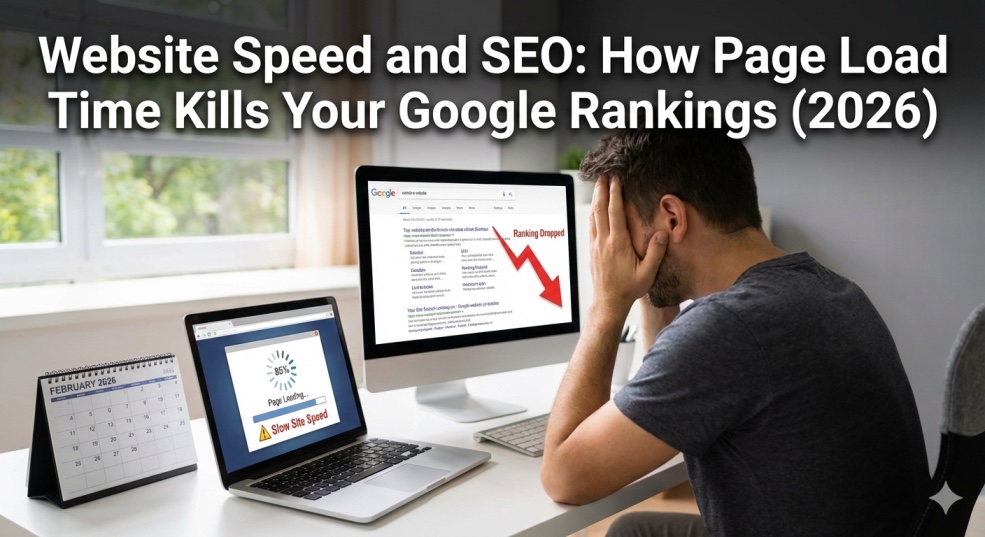
Website Speed and SEO: How Page Load Time Kills Your Google Rankings (2026)
Your website takes 6 seconds to load.
You think, "That's not too bad. People will wait."
Here's the brutal truth: 53% of your visitors just left. They hit the back button after 3 seconds and went to your faster competitor. Google saw this. Your bounce rate spiked. Your rankings dropped. You lost thousands in revenue.
And you didn't even know it was happening.
Website speed is no longer just a "nice to have" for SEO—it's THE critical ranking factor that Google weights heavily in 2026. While you're optimizing keywords and building backlinks, your 6-second load time is sabotaging everything.
The probability of bounce increases by 32% when page load time goes from 1 second to 3 seconds. By 5 seconds, that probability jumps to 90%. You're not just losing visitors—you're actively telling Google your site provides a terrible user experience.
I've been optimizing website performance and SEO for Fortune 500 companies for 12 years. I've seen billion-dollar businesses lose millions in revenue from slow websites. I've also seen small businesses triple their traffic by simply making their sites faster.
This guide will show you exactly why website speed destroys or dominates your SEO rankings, how to measure your real speed (not just that meaningless "score"), and the 18 most effective speed fixes that actually move the needle on Google rankings.
By the end, you'll understand why your competitors are outranking you—and how to beat them.
Why Website Speed Is THE #1 SEO Ranking Factor in 2026
Let's cut through the noise. Here's why speed matters more than almost anything else:
Google's Business Model Depends on Speed
Google makes money when users find what they need quickly and come back for more searches. A slow website breaks that cycle.
Think about it:
- User searches for "best printer 2026"
- Clicks your site (ranking #3)
- Waits... 4 seconds... 5 seconds... 6 seconds
- Gets frustrated, hits back button
- Clicks competitor (#4)
- Their site loads in 1.5 seconds
- User finds answer, stays, buys
What Google sees:
- Your site = bad user experience (high bounce, low dwell time)
- Competitor = good user experience (low bounce, high dwell time)
What Google does:
- Drops you to #7
- Promotes competitor to #2
This isn't theory. This is exactly how Google's algorithm works in 2026.
The Shocking Statistics That Should Terrify You
From the lead technical architect at the BBC: "Large media like us can lose an additional 10% of users for every second our pages take to load".
If BBC—with brand recognition and loyal audiences—loses 10% per second, how much are YOU losing as a small business?
The math on a $100,000/month business:
- Page load time: 5 seconds (industry average)
- You could load in: 2 seconds (achievable)
- Lost revenue: $30,000/month = $360,000/year
- Just from slow loading.
More brutal stats:
- Users usually leave a site after three seconds
- eCommerce sites that load in 1–2 seconds have 3x higher conversion rates
- A one-second delay in page load time can result in a 7% drop in conversions
Core Web Vitals: Google's Speed Report Card
In 2026, Google's Core Web Vitals have become more sophisticated and carry significant ranking weight.
The three metrics Google actually cares about:
1. Largest Contentful Paint (LCP)
What it measures: How fast your main content loads
Google's standard: Under 2.5 seconds = Good
Reality check: Anything above 4 seconds is considered poor
2. First Input Delay (FID) / Interaction to Next Paint (INP)
What it measures: How quickly site responds to user interactions
Google's standard: Under 100ms = Good
Why it matters: Slow response = frustrated users clicking away
3. Cumulative Layout Shift (CLS)
What it measures: How much content jumps around while loading
Google's standard: Under 0.1 = Good
User impact: Ever clicked a button and the page shifted, making you click an ad instead? That's bad CLS.
These aren't suggestions. They're ranking factors.
Google prioritizes a good user experience when ranking a website, and Core Web Vitals quantify that experience.
How to Test Your Website Speed (The Right Way)
Most people check their speed wrong. They look at the "score" and think they're fine.
The score doesn't matter. Load time matters.
Use Google PageSpeed Insights (The Official Tool)
Step 1: Run the test
- Go to pagespeed.web.dev
- Enter your website URL
- Click "Analyze"
- Wait 30 seconds for results
Step 2: Ignore the score (for now)
Yes, you read that right. That 67/100 score? It's misleading.
Step 3: Look at these numbers instead:
Performance Metrics Section:
- Largest Contentful Paint: Should be under 2.5s
- Total Blocking Time: Should be under 200ms
- Cumulative Layout Shift: Should be under 0.1
Step 4: Check BOTH mobile and desktop
Google uses mobile-first indexing. Mobile searches have become more popular over the past few years, so Google prioritizes page speed for mobile.
- If your mobile speed sucks, your rankings suck.
- Use GTmetrix (More Detailed Analysis)
Why use this too:
- Shows waterfall chart (what's loading slow)
- Tests from multiple locations
- Gives specific recommendations
How to use:
- Go to gtmetrix.com
- Enter URL
- Select test location (choose USA if targeting US market)
- Run test
- Focus on "Fully Loaded Time" metric
Target speeds:
- Under 3 seconds = Good
- 3-5 seconds = Needs improvement
- Over 5 seconds = Emergency
- The Real-World Test (Most Important)
Test on actual devices:
- Open your site on your phone (on cellular, not WiFi)
- Count slowly: "One Mississippi, Two Mississippi..."
- If you hit "Four Mississippi," you have a problem
- Your customers aren't testing from your fast office WiFi. They're on 4G in their car, on 3G at home, on congested public WiFi.
- Test like they experience it.
The 18 Speed Fixes That Actually Improve Rankings
These are ranked by impact. Start at #1 and work your way down.
Fix 1: Upgrade Your Hosting (Biggest Impact)
Why this matters: Your server's and hosting provider's performance significantly impacts page speed.
$5/month shared hosting with 500 other websites = disaster.
The hosting hierarchy:
Terrible (what you probably have):
- Shared hosting ($3-10/month)
- GoDaddy, Bluehost basic plans
- Result: 3-6 second load times
Acceptable:
- Managed WordPress hosting ($20-50/month)
- SiteGround, WP Engine, Kinsta
- Result: 1.5-2.5 second load times
Optimal:
- Cloud VPS or dedicated hosting ($50-200/month)
- DigitalOcean, Linode, AWS
- Result: Under 1 second load times
The math:
- Spend $30/month more on hosting
- Load 3 seconds faster
- Keep 30% more visitors
- Get 30% more sales
- ROI: Pays for itself 100x over
Action step: Call your host, ask what tier you're on, upgrade if needed.
Fix 2: Optimize Images (Easiest Quick Win)
The problem: Your homepage has a 5MB hero image. It should be 200KB max.
How to fix:
Step 1: Compress all images
- Use TinyPNG.com or ImageOptim
- Compress before uploading
- Target: Under 200KB per image
Step 2: Use modern formats
- Convert JPG/PNG to WebP
- 30-50% smaller files, same quality
- WordPress plugins: ShortPixel, Imagify
Step 3: Implement lazy loading
- Images load only when scrolling into view
- Built into WordPress 5.5+
- Or use plugin: Lazy Load by WP Rocket
Impact: Reduce page size by 50-70%, improve LCP by 1-2 seconds
Fix 3: Enable Caching (Set It and Forget It)
What caching does: Stores static version of your site, loads instantly for returning visitors.
For WordPress:
- Install WP Rocket ($49) or W3 Total Cache (free)
- Enable page caching
- Enable browser caching
- Leave other settings default
For other platforms:
- Shopify: Built-in (nothing to do)
- Wix: Built-in (nothing to do)
- Custom sites: Ask developer to implement Redis or Varnish
- Impact: 40-60% faster load times for repeat visitors
Fix 4: Use a CDN (Content Delivery Network)
What it does: Serves your site from servers close to user's location.
Example:
- Your server: New York
- User: Los Angeles
- Without CDN: Data travels 3,000 miles
- With CDN: Data travels 50 miles from LA server
Best CDNs:
- Cloudflare (free plan works great)
- BunnyCDN ($1/month)
- StackPath ($10/month)
Setup:
- Sign up for Cloudflare (free)
- Add your website
- Change nameservers (they give you instructions)
- Wait 24 hours
- Site now loads 40% faster globally
Impact: Massive improvement for international traffic, 20-40% faster USA traffic
Fix 5: Minimize CSS and JavaScript
The problem: Your site loads 47 different JavaScript files and 23 CSS files.
The solution: Combine and minify them into 2-3 files total.
For WordPress:
- WP Rocket plugin handles this automatically
- Or use Autoptimize (free)
- Enable "Aggregate JS files" and "Aggregate CSS files"
For custom sites:
- Ask developer to minify code
- Use Webpack or Gulp build tools
Impact: Reduce requests by 80%, improve load time by 500-800ms
Fix 6: Remove Unused Plugins/Code
The reality check: That social sharing plugin you installed 2 years ago? You're not using it. It's slowing your site by 0.7 seconds.
Audit process:
- List all installed plugins
- Deactivate half of them
- Test site—does it still work?
- Delete what you don't need
- Target: Under 10 active plugins for WordPress
- Impact: Each removed plugin = 50-200ms faster
Fix 7: Enable GZIP Compression
What it does: Compresses files before sending to browser.
How to enable:
For WordPress:
- WP Rocket enables automatically
- Or add to .htaccess file (Google "enable gzip htaccess")
- For other platforms:
- Usually enabled by default
- Check with hosting provider
Test if enabled:
- checkgzipcompression.com
- Enter your URL
- Should say "ENABLED"
- Impact: 60-80% smaller file sizes, faster transfer
Fix 8: Reduce Server Response Time (TTFB)
TTFB = Time To First Byte How long before server starts sending data.
Target: Under 200ms
How to improve:
- Better hosting (see Fix #1)
- Enable caching (see Fix #3)
Optimize database:
- WordPress: Use WP-Optimize plugin
- Cleans up revisions, spam, transients
- Use PHP 8.2+ (ask host to upgrade)
- Impact: Can reduce TTFB from 800ms to 150ms
Fix 9: Eliminate Render-Blocking Resources
The problem: CSS and JavaScript files block page from displaying until they load.
The solution: Defer non-critical scripts, inline critical CSS.
For WordPress:
- WP Rocket → Settings → File Optimization
- Enable "Delay JavaScript Execution"
- Enable "Optimize CSS Delivery"
Manual method: Add defer or async to script tags:
html
Impact: Page displays 1-2 seconds faster (improves LCP)
Fix 10: Optimize Web Fonts
The problem: Loading custom fonts adds 300-500ms.
Solutions:
Option A: Use system fonts
Fastest (no external load)
Font stack: -apple-system, BlinkMacSystemFont, "Segoe UI", Roboto
Option B: Optimize custom fonts
- Use Google Fonts
- Load only weights you need (don't load 9 font weights if you use 2)
- Add &display=swap to font URL
Impact: Save 200-400ms load time
Fix 11: Reduce Redirects
The problem:
- User goes to: website.com
- Redirects to: www.website.com
- Redirects to: www.website.com/home
- Redirects to: https://www.website.com/home
- Each redirect adds 200-500ms.
Solution:
Audit redirects: redirectdetective.com
- Fix chains (should be 1 redirect max)
- Ensure all internal links go to final URL
Fix 12: Remove Unnecessary Third-Party Scripts
Common culprits:
- 5 different analytics tools
- Facebook Pixel
- Twitter widget
- Instagram feed
- Live chat widget
- Heatmap tracking
- A/B testing script
- Each one adds 200-800ms.
Action plan:
- List all third-party scripts (view page source)
- Remove what you don't actively use
- Load remaining scripts asynchronously
- Keep only what you actually check weekly.
Fix 13: Optimize Your Database
For WordPress (biggest offender):
Your database has 10,000 post revisions, 5,000 spam comments, 2GB of transient data.
Clean it up:
- Install WP-Optimize plugin
- Run optimization
- Delete post revisions, spam, transients
- Schedule weekly auto-cleanup
Impact: Faster database queries = faster page generation
Fix 14: Implement Preloading
What it does: Loads critical resources before user needs them.
Three types:
DNS prefetch:
html
Preconnect:
html
Preload:
html
For WordPress: WP Rocket handles automatically
Fix 15: Fix Mobile Speed Specifically
Mobile-specific issues:
Large images:
- Serve smaller images to mobile
- Use srcset attribute
Unoptimized code for mobile:
- Remove desktop-only features on mobile
- Simplify mobile navigation
AMP (Accelerated Mobile Pages):
- Consider AMP for blog posts
- Google favors AMP in mobile results
Fix 16: Monitor and Fix Core Web Vitals
Track your metrics:
- Google Search Console → Experience → Core Web Vitals
- See which pages fail
Focus on:
- LCP under 2.5s
- FID under 100ms
- CLS under 0.1
Fix systematically:
- Identify failing pages
- Apply fixes 1-15
- Retest after 2 weeks
Fix 17: Reduce HTTP Requests
Every element on your page requires a request:
- 1 request for HTML
- 15 requests for images
- 8 requests for CSS
- 12 requests for JavaScript
- 5 requests for fonts
- = 41 total requests
Target: Under 50 requests per page
How to reduce:
- Combine files
- Use CSS sprites
- Inline small images as data URIs
- Remove unnecessary elements
Fix 18: Use Performance Monitoring
Set up ongoing monitoring:
Free tools:
- Google Search Console (Core Web Vitals)
- PageSpeed Insights (manual testing)
Paid tools (worth it):
- GTmetrix monitoring ($10/month)
- Pingdom (automated alerts)
- New Relic (advanced analytics)
Why monitor:
- Speed degrades over time
- New plugins slow things down
- Catch problems before Google does
- Speed Optimization Checklist (Do This Today)
Emergency fixes (next 2 hours):
- Run PageSpeed Insights test
- Compress all images over 200KB
- Enable caching plugin
- Remove 5 unnecessary plugins
- Test load time again
This week:
- Upgrade hosting if on cheap shared
- Set up Cloudflare CDN
- Enable GZIP compression
- Optimize database
- Fix render-blocking resources
This month:
- Audit all third-party scripts
- Implement lazy loading
- Optimize for Core Web Vitals
- Set up performance monitoring
- Create speed optimization documentation
- The USA Market: Why Speed Matters MORE Here
USA-specific considerations:
-
- Higher expectations Americans expect sub-2-second load times. Anything slower = you lose.
-
- Mobile-heavy usage 58% of USA searches are mobile. Your mobile speed IS your speed.
-
- Competitive markets Every niche is competitive in USA. Speed = competitive advantage.
-
- E-commerce dominance USA users buy online more. Slow checkout = abandoned carts.
Target speeds for USA market:
- Desktop: Under 1.5 seconds
- Mobile: Under 2.5 seconds
- Anything slower loses to competitors
The Bottom Line: Speed = Money
Most of your competitors still haven't figured out website speed SEO. They're prioritizing flashy animations over performance, adding bloated plugins without consideration, and wondering why their rankings keep declining despite their content quality.
This is your opportunity.
The brutal reality:
- 1 second load time = baseline expectation
- 3 seconds = lose 32% of visitors
- 5 seconds = lose 90% of visitors
- Your competitor loads in 1.8 seconds
- You load in 5.2 seconds
- You lose.
The winning formula:
- Test your speed (PageSpeed Insights + GTmetrix)
- Upgrade hosting ($30/month investment)
- Optimize images (compress, WebP, lazy load)
- Enable caching and CDN
- Remove bloat (plugins, scripts, code)
- Monitor continuously (Search Console)
Expected results:
- Load time: 5.2s → 1.8s
- Bounce rate: 65% → 35%
- Time on site: 45s → 2m 15s
- Rankings: Page 2 → Page 1
- Traffic: +150% in 3 months
- Revenue: +200% in 6 months
Speed isn't everything in SEO. But it's the foundation. Without it, your keywords, backlinks, and content don't matter.
Fix your speed. Watch your rankings soar.
Frequently asked questions
How much does website speed actually affect Google rankings?+
Page speed is a confirmed ranking factor since Google's 2018 Speed Update, with slow sites experiencing dramatic ranking drops. Site speed affects rankings both directly (as a ranking signal) and indirectly (through bounce rate and dwell time). Studies show sites loading in under 2 seconds rank significantly higher than those over 4 seconds. Speed isn't the only factor, but it's foundational—without it, other SEO efforts are undermined.
What is a good page load time for SEO in 2026?+
Google expects LCP (Largest Contentful Paint) under 2.5 seconds, with anything above 4 seconds considered poor. For overall page load time, target under 2 seconds on desktop and under 3 seconds on mobile. However, prioritize loading time measured in seconds over PageSpeed score measured on a scale of 0-100. Real load time impacts users; the score is just a guide.
How do I check my website speed for SEO?+
Use Google PageSpeed Insights (pagespeed.web.dev) as your primary tool since it shows Core Web Vitals—the metrics Google actually uses for rankings. Also test with GTmetrix for detailed waterfall analysis. Test both mobile and desktop versions since Google prioritizes mobile page speed with mobile-first indexing. Don't just look at the score; focus on actual load time in seconds and Core Web Vitals metrics (LCP, FID, CLS).
What are Core Web Vitals and why do they matter?+
Core Web Vitals are three metrics Google uses to measure speed, interactivity, and visual stability: LCP (loading), FID/INP (interactivity), and CLS (layout shift). They are confirmed ranking factors for SEO. Sites passing all three metrics rank higher than those failing them. Target: LCP under 2.5s, FID under 100ms, CLS under 0.1. These metrics quantify user experience, which Google prioritizes in 2026 rankings.
Can slow website speed cause my site to lose rankings?+
Absolutely. When page load time goes from 1 second to 3 seconds, bounce probability increases by 32%. By 5 seconds, it jumps to 90%. Google sees high bounce rates as signal of poor user experience and lowers rankings accordingly. Additionally, sites with loading time of 3+ seconds are less likely to rank higher due to bad user experience. Slow speed directly and indirectly destroys rankings.
What's the fastest way to improve my website speed?+
The three highest-impact fixes: (1) Upgrade from cheap shared hosting to managed WordPress or cloud hosting ($20-50/month investment), (2) Compress and optimize all images using TinyPNG or WebP format, (3) Enable caching with WP Rocket plugin or equivalent. These three changes alone typically reduce load time by 50-70%. After these, add Cloudflare CDN (free) for another 20-30% improvement. Most sites can go from 5+ seconds to under 2 seconds with just these changes.
Does website speed affect mobile SEO more than desktop?+
es. Google prioritizes mobile page speed since mobile searches have become more popular, with mobile-first indexing making mobile performance critical. Your mobile speed essentially IS your SEO speed now. Mobile users expect fast loading times, and search engines prioritize mobile-friendly websites in rankings. Test mobile speed separately and optimize specifically for mobile users, who typically have slower connections than desktop users.
What tools should I use to monitor website speed regularly?+
Use Google Search Console's Core Web Vitals report for ongoing monitoring of your site's performance in real user conditions. For detailed testing, use PageSpeed Insights for Google's official metrics and GTmetrix for technical waterfall analysis. Set up automated monitoring with Pingdom or GTmetrix alerts ($10/month) to catch speed regressions before they impact rankings. Consider server and hosting provider performance while measuring site speed, as scores vary by server location.
How long does it take to see SEO improvements after optimizing speed?+
Initial improvements appear within 2-4 weeks as Google recrawls your faster pages. Significant ranking improvements typically take 2-3 months as Google accumulates user experience data. However, you'll see immediate benefits in user metrics (lower bounce rate, higher time on site, better conversion rate) within days of optimization. Google's algorithm weighs historical performance, so sustained speed improvements compound over time—expect continued ranking gains for 6+ months after optimization.
Is the PageSpeed Insights score important for SEO?+
The score (0-100) is less important than actual performance metrics. Always prioritize loading time measured in seconds over the score measured on a scale of 0-100. Google doesn't rank based on the score; it ranks based on Core Web Vitals and real user experience. A site with 67/100 score loading in 1.8 seconds will outrank a site with 95/100 score loading in 4.2 seconds. Focus on actual load time and Core Web Vitals passing thresholds, not achieving a perfect score.